
Every customer conversation.
One workspace.
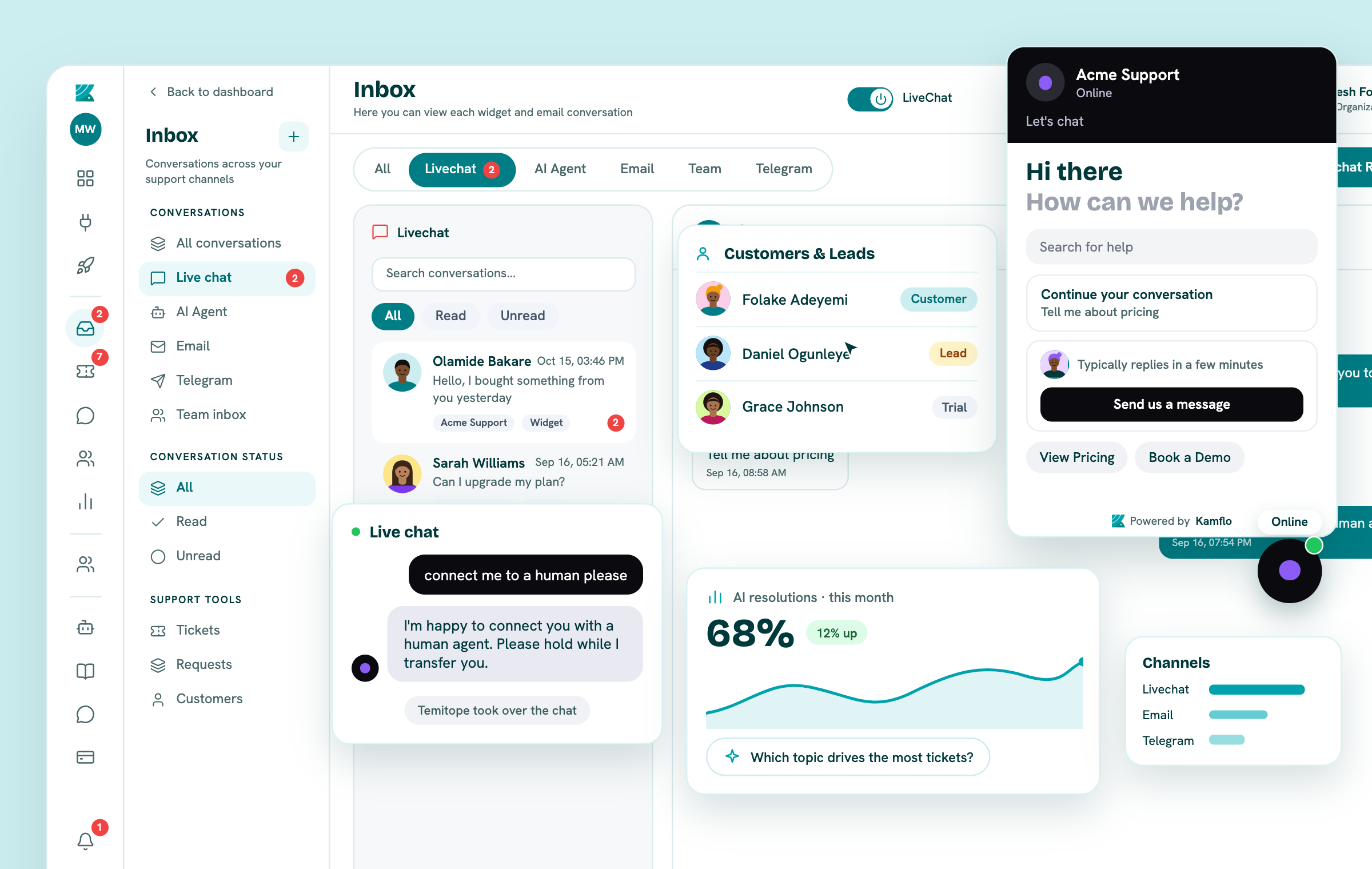
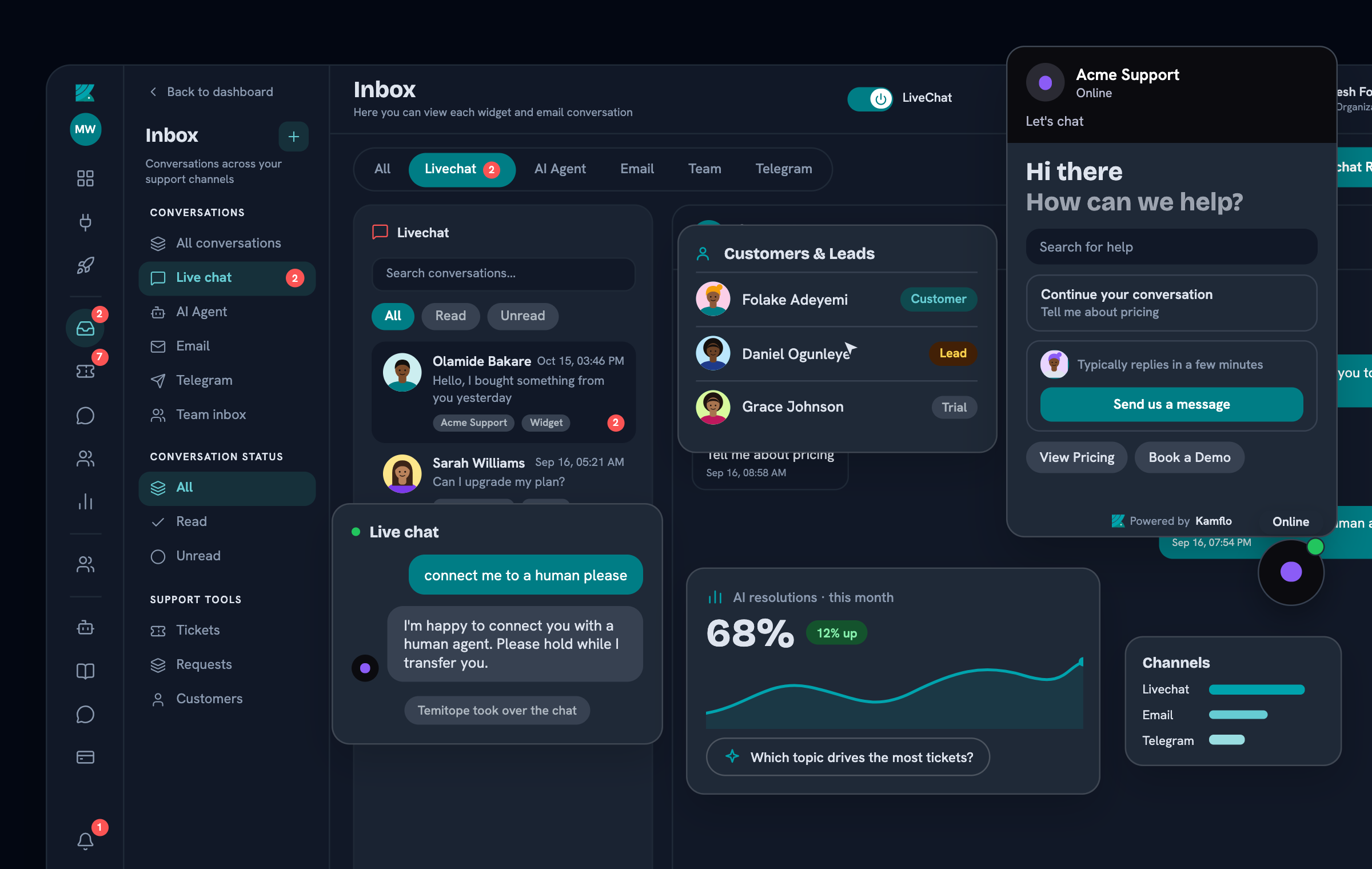
Reply to live chats and tickets, manage incoming requests across connected channels, track issues from open to resolved, and collaborate with your team—all in real time from one workspace.
Conversations, chat requests, ticket tracking, team collaboration and customer support analytics — together in one workspace.
Join 10+ customers around the world who trust Kamflo


Website conversations
Never miss a website visitor.
See who's browsing your website and give visitors a direct line to your team when they need help. When someone asks to talk, their chat request arrives in Kamflo in real time, where your team can respond, assign it or turn the issue into trackable work.
- See visitors while they browse your website
- Receive a chat request when a visitor asks to talk
- Route the request and reply with visitor context in real time
Customer conversations
Every conversation and request, in one live workspace.
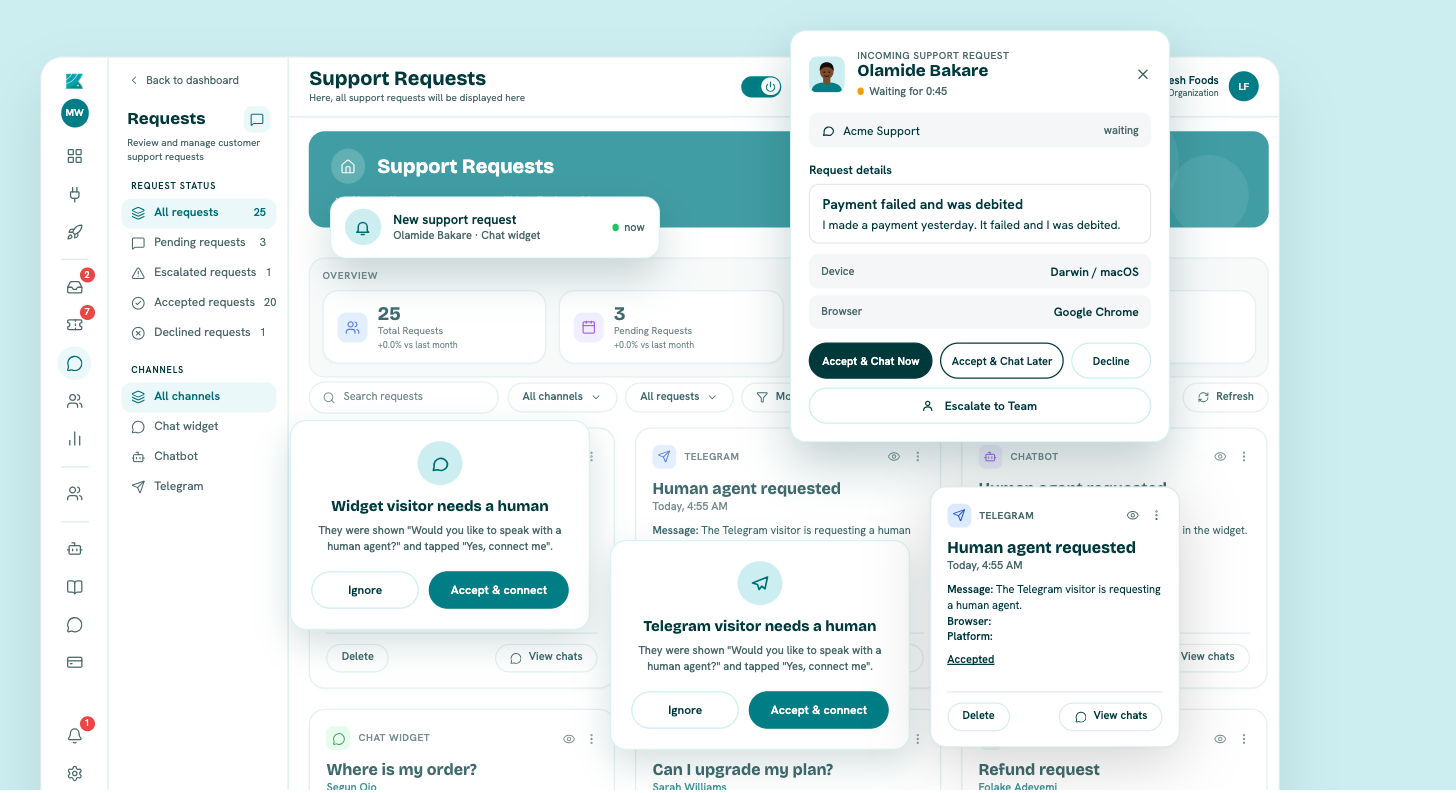
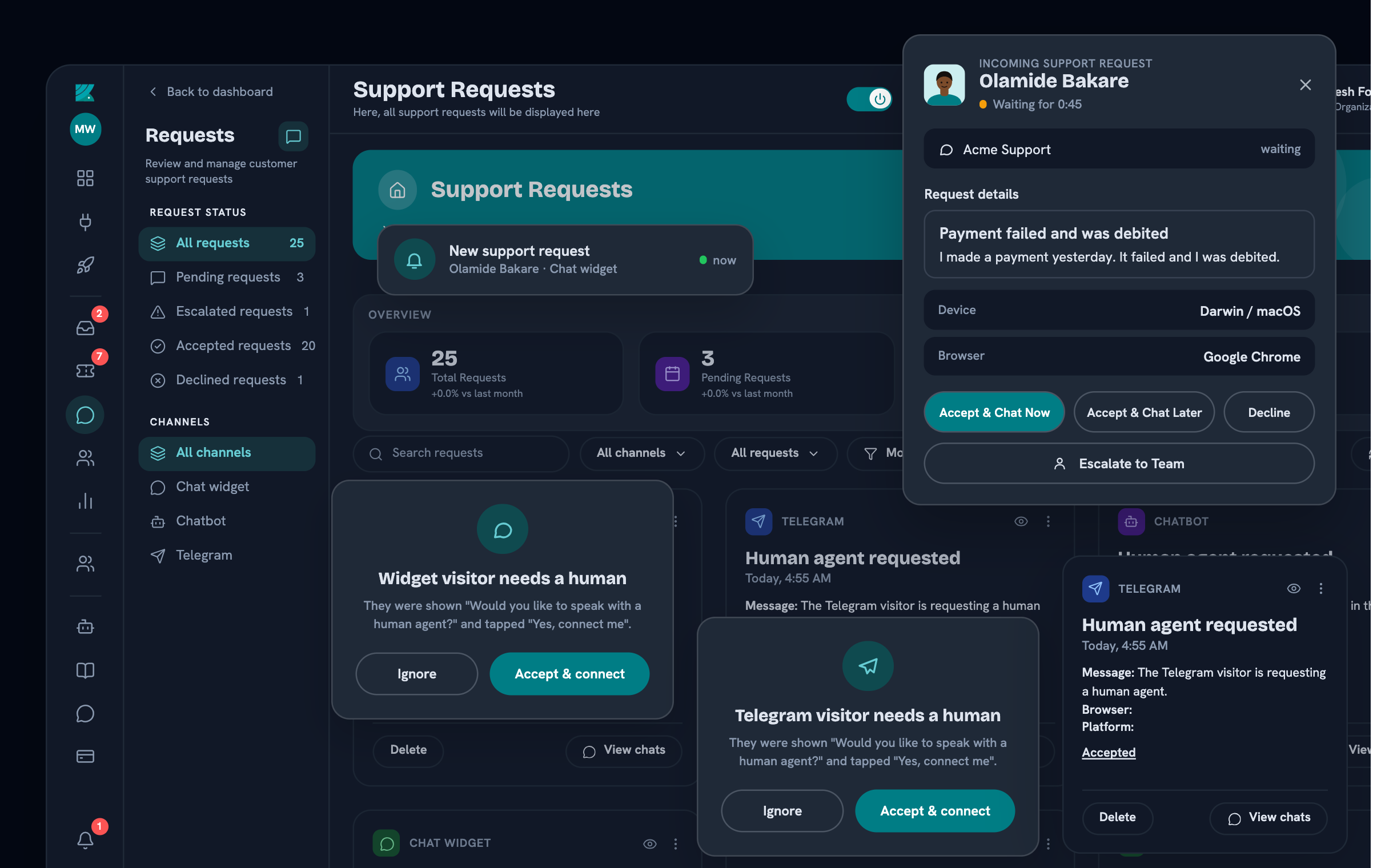
Bring customer messages and chat requests from connected channels—such as your website widget, help center, email and Telegram—into a shared Kamflo workspace. Your team can pick up requests, reply in real time and keep the conversation connected to its customer.
Live customer chats and requests from connected channels
Reply, assign and hand off work from one shared inbox
Customer context
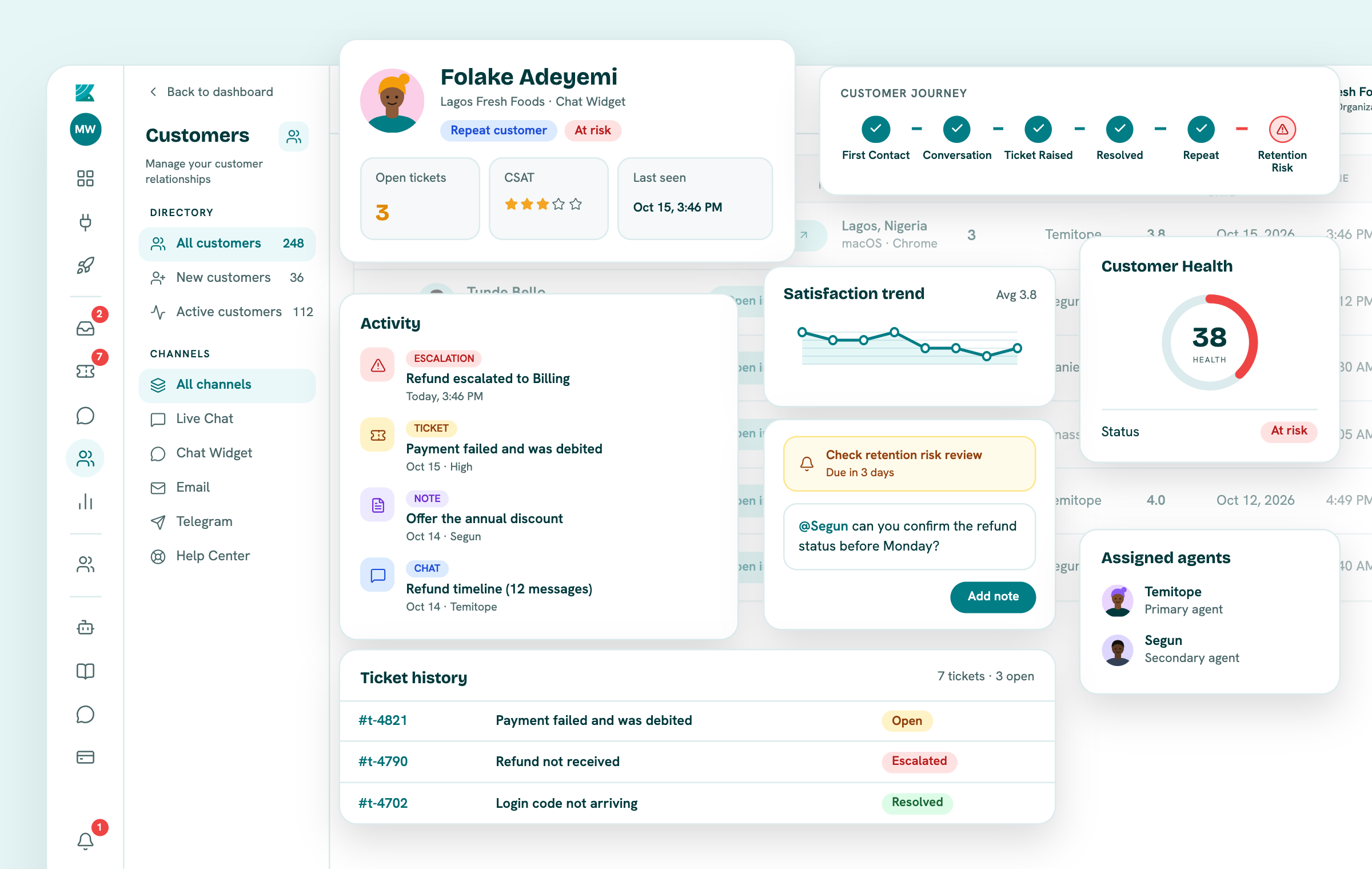
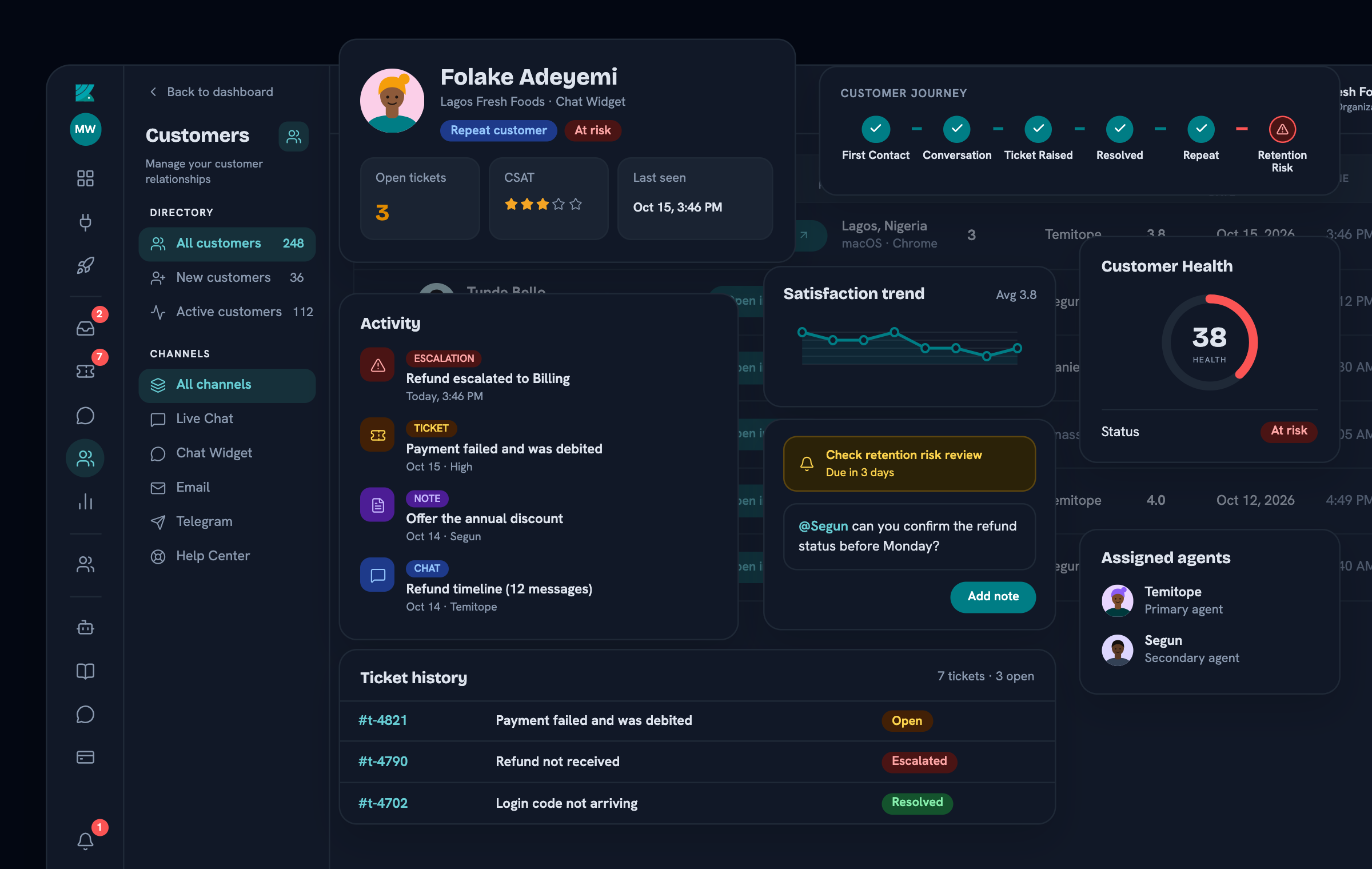
Know the customer behind every conversation.
Give your team the context available before they respond—so they can see who they’re helping and what has already happened.
Resolve customer issues
A conversation doesn’t end when someone replies.
Turn customer problems and chat requests into trackable tickets. Reply to customers from the ticket, assign an owner, set priority, and follow each issue through open, in-progress, escalated and resolved—while keeping the ticket connected to its original conversation.
Video to capture: open a real ticket, reply to the customer, show its priority, status and owner, escalate it to a teammate, then track it through resolution.
Replace with real product media when available
Keep the issue connected to its original conversation and customer.
Bring your team together
Customer experience is a team sport.
Bring support, sales, success and other teammates into the same workspace so everyone can work from the same customer context. Chat one-to-one or create team groups to coordinate replies, ticket ownership and escalations. Then review team activity and available performance analytics alongside the customer work.
Roles & permissions: Give each teammate the access that fits their role, share the right work with them and review role history when responsibilities change.
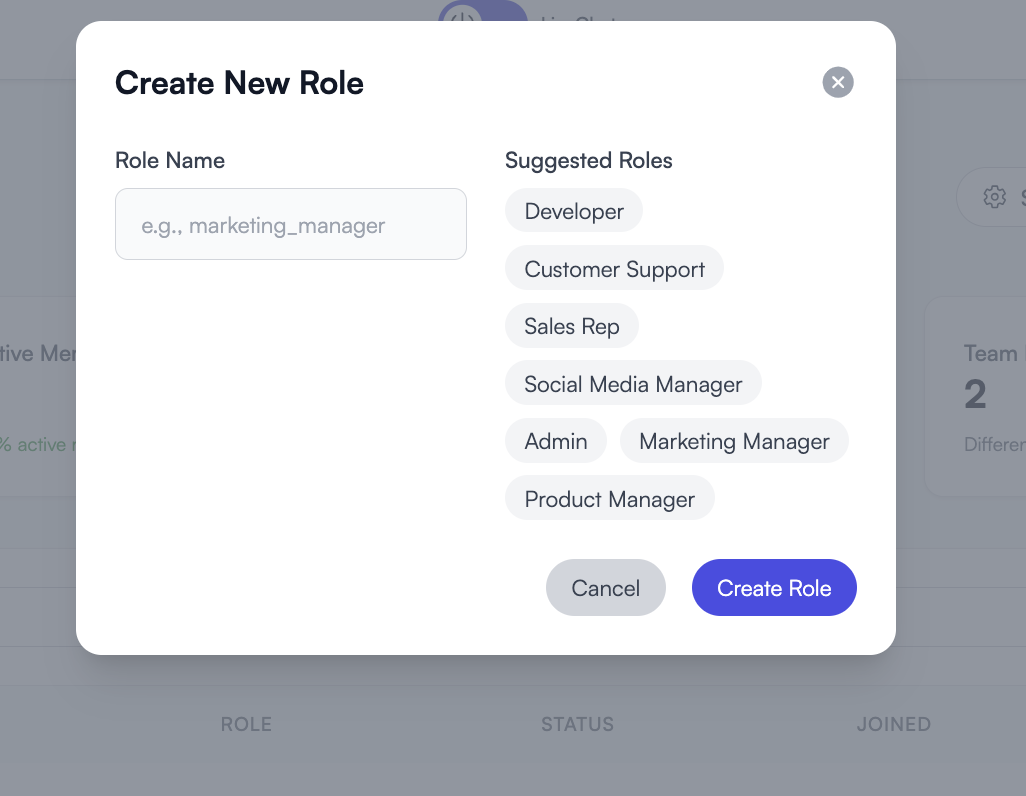
Screenshot to capture: share a real ticket, channel or request with selected teammates and show its permission controls. Use demo accounts or redact personal names and email addresses.
Replace with real product media when available

Your organization, your experience
Your brand. Your workspace.
Customize the customer experience with your organization's logo and colors, and give your help center a domain that feels like home.
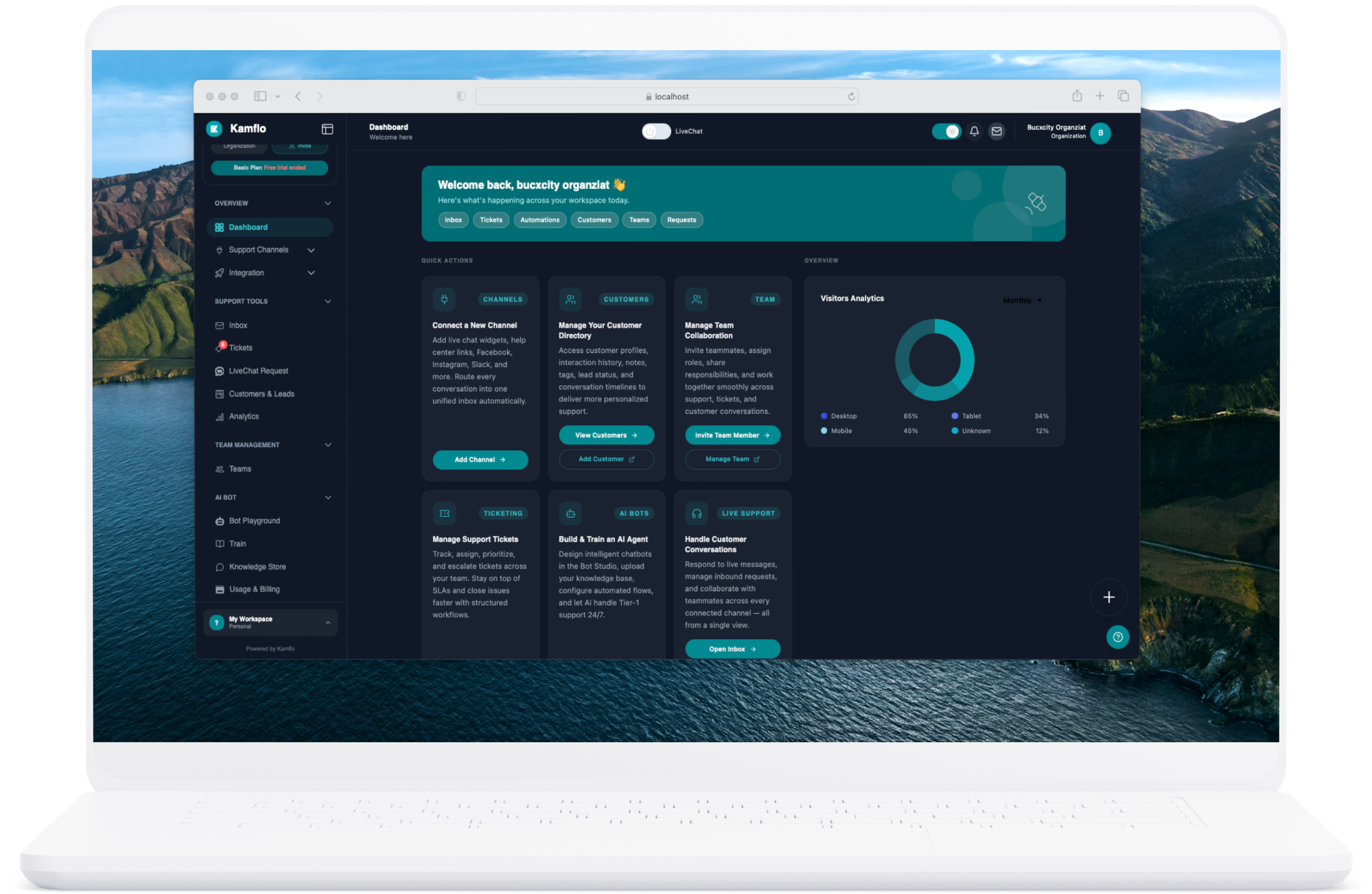
Screenshot to add: actual organization settings for the logo, brand color and branded help-center domain.
Replace with real product media when available
Automation, with AI when it helps
Automate repetitive work. Keep the human connection.
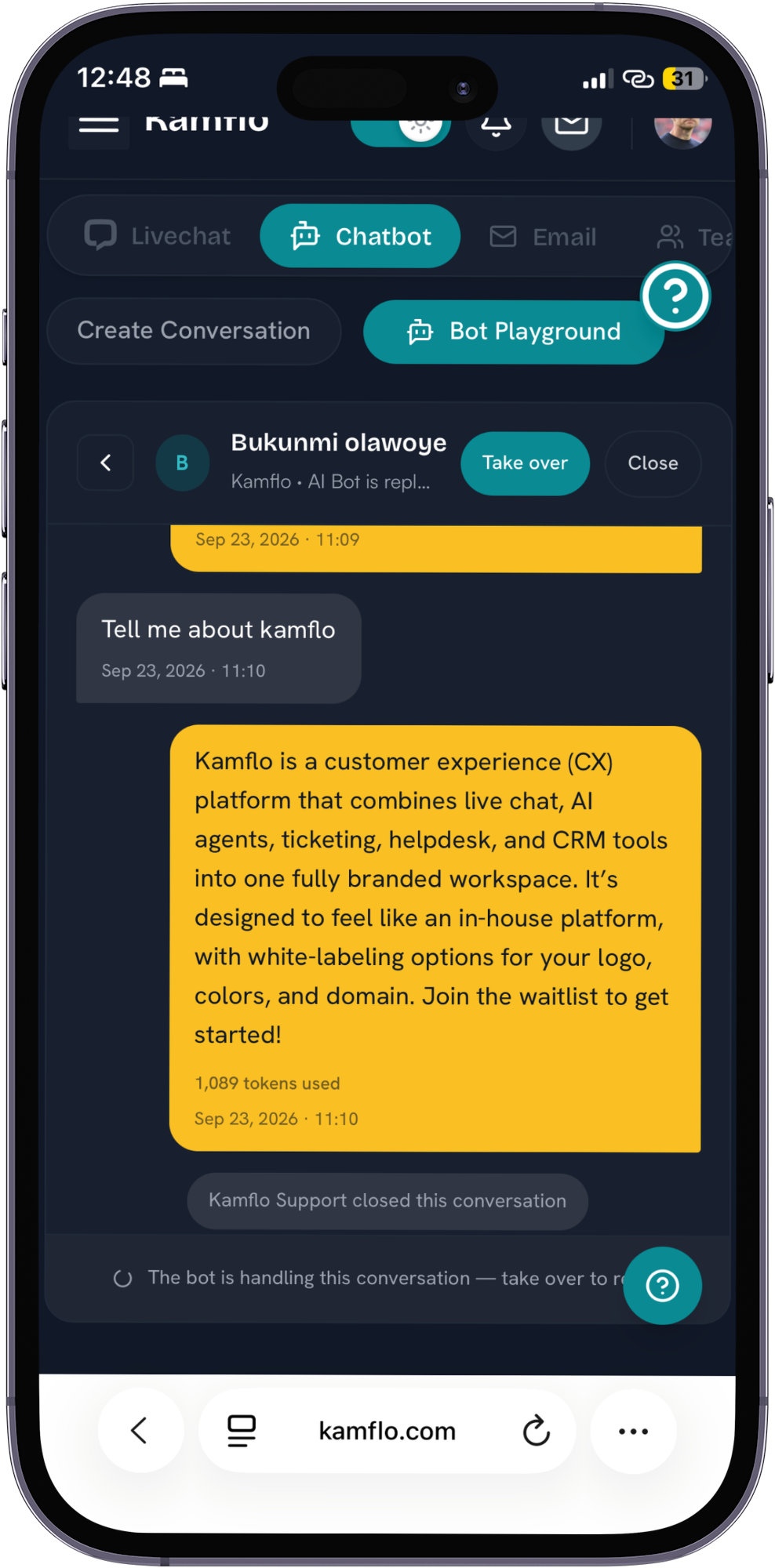
Use AI and workflows to help with routine customer experience tasks, while your team focuses on conversations that need a human touch. Automation supports the workspace; it doesn’t replace the people behind it.
Knowledge base
Use your published help content to inform automated answers.
AI and chat settings
Configure how automated support appears in your customer experience.
Human handoff
Let your team take over when a customer needs a person.
Video to capture: a customer asks a real question, the AI uses configured help content, then a teammate takes over the same conversation.
Replace with real product media when available
Animation or screen recording to capture: a real workflow trigger, its configured action, and how the team can take over when needed.
Replace with real product media when available
Customer experience insights
See how customer support and your team are doing.
Review customer activity, incoming conversations, ticket progress and the team performance metrics available in Kamflo. See what is still open, where work has been escalated and what needs a follow-up—without relying on invented benchmarks.
Screenshot to add: the current Kamflo analytics dashboard showing real available visitor, conversation, ticket and team-performance metrics. Do not use sample or invented figures.
Replace with real product media when available
Integrations & touchpoints
Meet customers in the channels your team supports.
Connect available customer touchpoints—including email, Telegram, website chat widgets and your help center—to your Kamflo workspace. New messages and chat requests arrive alongside their tickets and follow-up work, giving your team one shared place to reply and collaborate in real time.
Explore integration guidesAvailable connections depend on workspace configuration; the integration guide has current setup details.
Frequently asked questions
Everything you need to know
Can't find what you're looking for? Email our team
Kamflo is a customer experience collaboration platform. It brings customer conversations, support requests, customer context, team collaboration, automation, and insights together in one workspace.
Kamflo connects conversations with customer context and the work needed to resolve issues. Your team can collaborate around the same customer experience instead of losing context between separate workflows.
You can customize your organization's name, logo, primary color, and help-center domain so the experience reflects your brand.
Kamflo's help center lets you publish customer-facing help content. That content can also support AI-assisted responses where you have enabled those capabilities.
AI and automation can help with repetitive support work using your help content. Your team can take over when a conversation needs human judgment or care.
Teams can assign conversations and requests, add internal notes, manage access, and involve the right teammate while keeping customer context available.
Yes. A single Kamflo account can be a member of multiple organizations, each with separate permissions, separate workspaces, and separate branding. This is especially useful for freelancers, virtual assistants, and agencies managing support for multiple clients.
The Widget Builder lets you create fully branded chat widgets with custom colors, welcome messages, AI personas, and knowledge base connections. You can deploy the same widget across your website, your helpdesk portal, and other channels without rebuilding it.
Yes. Every new account starts with a 14-day free trial — no credit card required. You get access to all core features so you can set up your workspace, create your first widget, and experience the full platform before making any decision.
Kamflo supports customer conversations through its website chat experience, email, and help center. Available connections depend on your workspace configuration; check the product or contact our team for current channel availability.
Customer experience, unified
Build better customer experiences with Kamflo.
Talk to customers. Resolve issues. Collaborate with your team. Manage it all from one workspace.